01
How to use Wi-Fi for one Mac app and Ethernet for another
Assign a network interface to each Mac app with RouteBar. Configure rules, choose fallback behavior and verify new connections in the connection log.
When your organization permits it, Ethernet can reach the office network while Wi-Fi connects to a personal hotspot. App or destination rules can then choose between them. This is not a network-isolation solution and does not guarantee any particular audit coverage.
· RouteBar
Connect Ethernet to the approved office network and use the Mac’s Wi-Fi menu to join the phone hotspot. This example uses two distinct interfaces; it does not require the built-in Wi-Fi adapter to join two wireless networks simultaneously. Mobile data charges may apply. Your organization determines whether work apps may use an external network.
Confirm that Ethernet reaches the approved internal service and the hotspot reaches the required public service. Record interface names, internal IP addresses and the actual app identity. An internal hostname may depend on corporate DNS unavailable through the hotspot. Binding an interface does not guarantee a solution to split DNS or corporate authentication.
For the internal service, create a destination-IP rule using Ethernet and restrict it to the office app if necessary. Create a separate Wi-Fi rule for an app allowed to use the hotspot. Avoid redirecting all apps and all destinations to the hotspot. Do not send company data through an unapproved network or service.
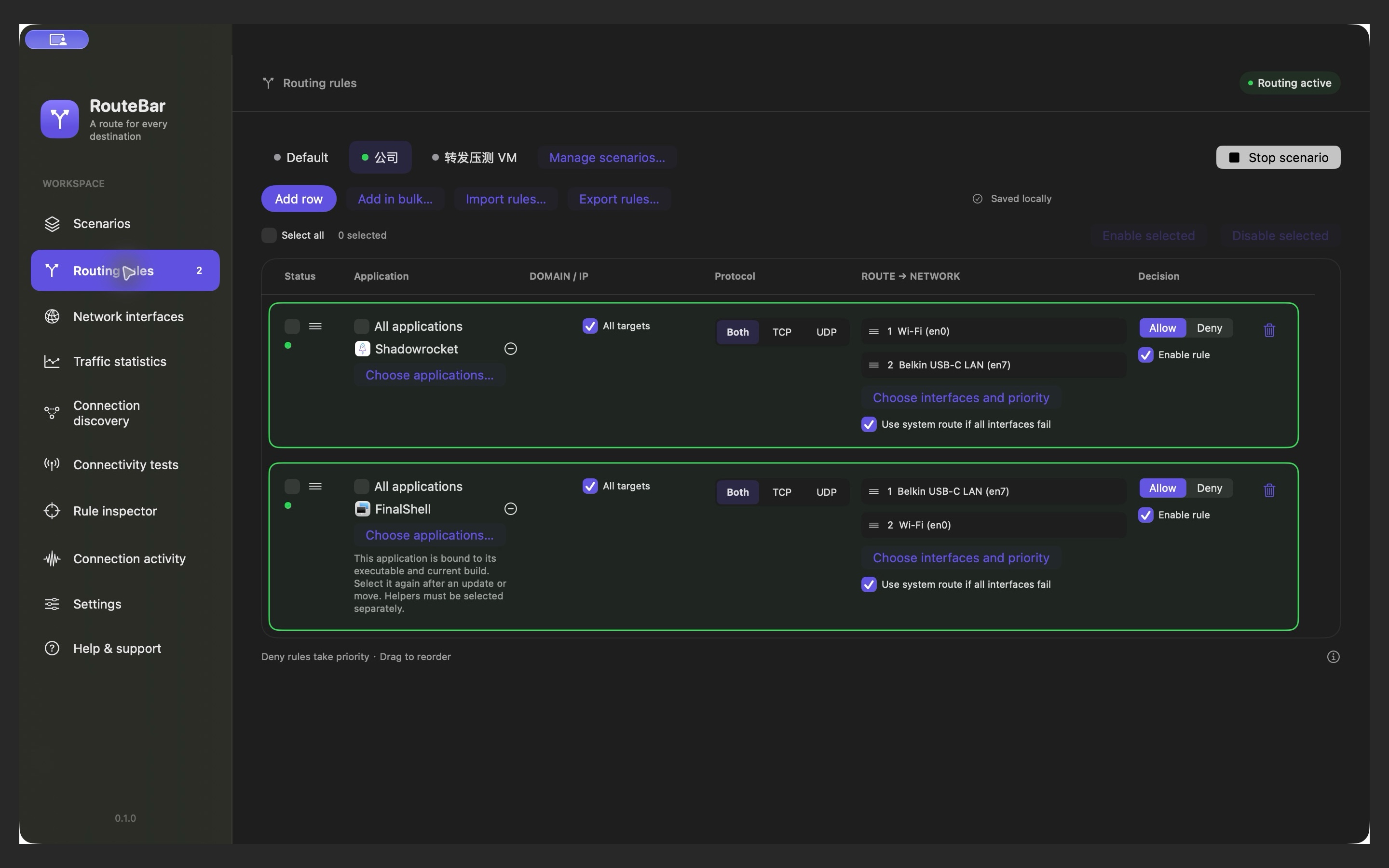
For a fixed exit, select only the required interface and disable system-route fallback. Start the scene, then create new connections to the approved internal and public test services. Check the matched rules and actual interfaces. Losing the hotspot does not seamlessly migrate existing connections; the app must reconnect.
An unmanaged hotspot path may fall outside network-side auditing and increase data-loss risk. Endpoint management or security software may still observe activity on the device. RouteBar is not a tool for evading management and does not provide full internal/external network isolation. Have an administrator validate managed-device or mandatory-VPN configurations.
01
Assign a network interface to each Mac app with RouteBar. Configure rules, choose fallback behavior and verify new connections in the connection log.
02
Set up and troubleshoot a Mac connected to a NAS over Ethernet while using Wi-Fi for internet. Check IP rules, DNS and the actual network interface.
03
Verify a Mac app’s network interface with RouteBar connection discovery and logs. Understand the limits of public IP checks and simulated rule tests.
04
Learn how to prefer Ethernet on a Mac while keeping Wi-Fi enabled, and when to use RouteBar to choose an interface for specific applications.
06
Troubleshoot RouteBar rules that appear not to work: running scenes, fresh connections, helper processes, protocols, fallback, DNS and VPN visibility.
Prefer Wi-Fi on a Mac while keeping wired access to a NAS or local network. Understand service order, application rules and connection checks.