01 / Work
Separate private and public networks
Choose the appropriate interface for a work app or private subnet, and Wi-Fi for other apps. Configure internal DNS for your environment.
Keep work on your private network and other apps on Wi-Fi. Choose the right interface for each app, domain or IP address on your Mac.
macOS 15+ · Free download · Activate a 7-day trial · No subscription
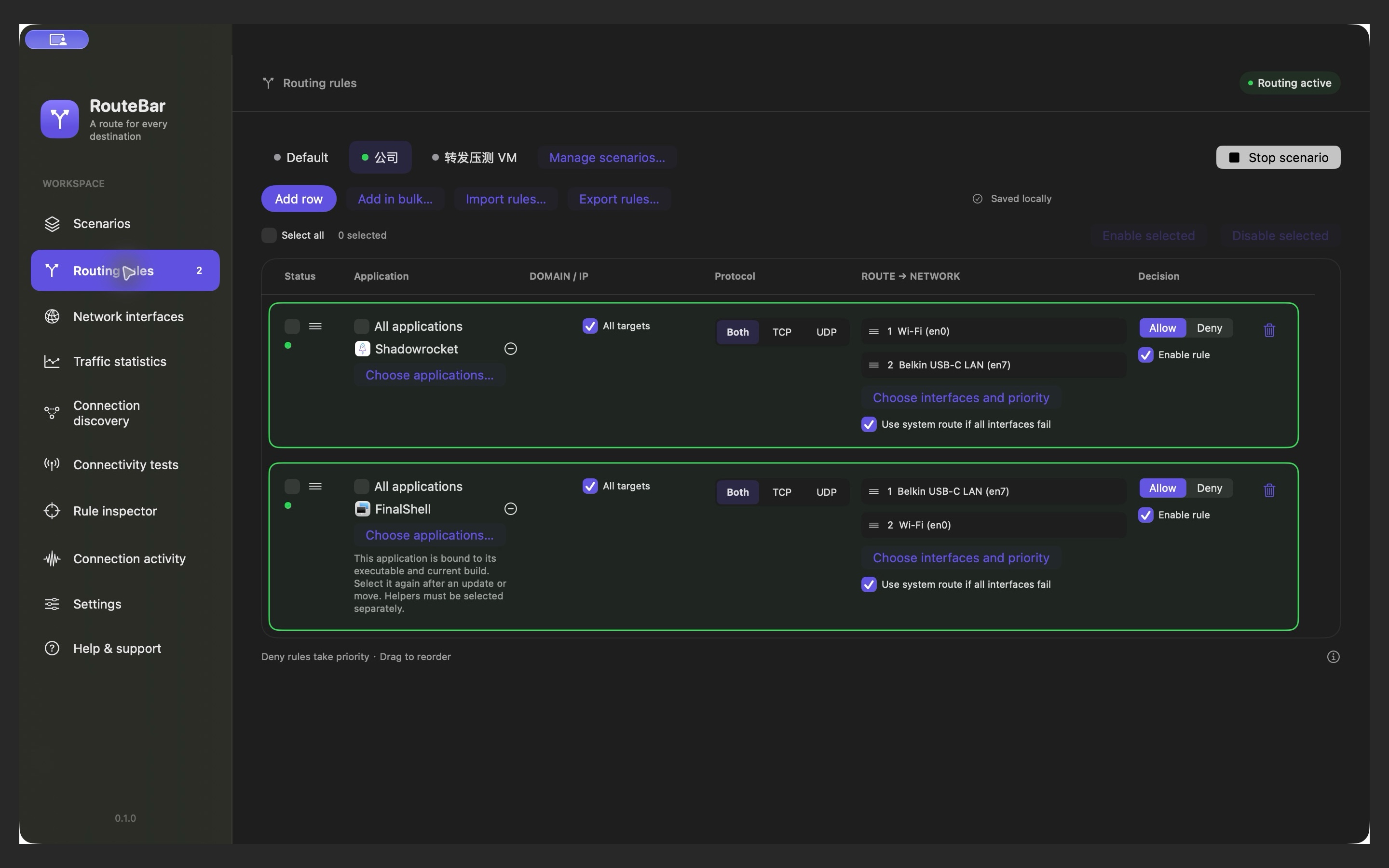
Actual app interface, version 0.1.0. This example enables fallback interfaces and system routing fallback. Your installed version may look different.
Connected to more than one network? Save your choices as clear rules for different tasks.
01 / Work
Choose the appropriate interface for a work app or private subnet, and Wi-Fi for other apps. Configure internal DNS for your environment.
02 / Downloads
Assign a download app to Ethernet or another network. Independent Internet connections can share tasks; interfaces on the same broadband connection still share its capacity.
03 / Home and development
Match the destination IP or subnet to use an Ethernet interface that can reach your NAS or local server.
Combine app, domain, IP or CIDR conditions.
Choose preferred and fallback interfaces, and decide whether to allow system routing fallback.
Create a new connection, then confirm the matched rule and selected interface.
After downloading, activate the trial in Settings → Unlock RouteBar. It does not renew or charge automatically. Routing stops when the trial ends; you can still view, edit and export your configuration.
Permanent access is a one-time in-app purchase, restorable with the same Apple Account. Your local price and eligibility are shown in the App Store.
Mainland China storefront offer
permanent unlock
ROUTEBAR12Until 31 December 2026 · 1,000 redemptions in total, while available.
Redeem with the offer link →CNY 12, normally CNY 22. This offer is for the mainland China storefront. Use the link containing ROUTEBAR12 and check the price before purchasing. Availability is not shown live.
No. Interface selection does not combine multiple links for one connection. Interfaces sharing a broadband connection still share its capacity. Speed depends on the app, server and network.
No. Fallback interfaces are tried when establishing a connection. Existing connections are not migrated and data is not resent; the app must reconnect.
Test your setup. Proxies and VPNs may hide the original app or destination and limit interface control. A rule on a shared proxy connection can affect every app using it.
Select only that interface in an allow rule and disable system routing fallback. This applies to matching new TCP/UDP connections delivered to RouteBar by macOS. It is not a system-wide kill switch or security boundary.
macOS 15 or later and approval for the network extension in System Settings. Start the scenario and create new connections to check the logs. Restart the scenario after ordinary rule changes.
RouteBar does not decrypt HTTPS or record payloads. Rules and local connection records stay on your Mac. Read the privacy policy for the full scope of data processing.
Use the trial to check your apps and network environment. The setup guide and support pages explain how to verify the result.
Choose a guide for app routing, a NAS on a second network or connection troubleshooting. Check what macOS can do first, then configure and verify RouteBar.
01
Assign a network interface to each Mac app with RouteBar. Configure rules, choose fallback behavior and verify new connections in the connection log.
02
Set up and troubleshoot a Mac connected to a NAS over Ethernet while using Wi-Fi for internet. Check IP rules, DNS and the actual network interface.
03
Verify a Mac app’s network interface with RouteBar connection discovery and logs. Understand the limits of public IP checks and simulated rule tests.
04
Learn how to prefer Ethernet on a Mac while keeping Wi-Fi enabled, and when to use RouteBar to choose an interface for specific applications.
05
Configure approved office Ethernet and phone-hotspot connections on a Mac. Check app rules, internal DNS, fallback behavior and enterprise security limits.
06
Troubleshoot RouteBar rules that appear not to work: running scenes, fresh connections, helper processes, protocols, fallback, DNS and VPN visibility.
Learn how to prefer Ethernet on a Mac while keeping Wi-Fi enabled, and when to use RouteBar to choose an interface for specific applications.
Prefer Wi-Fi on a Mac while keeping wired access to a NAS or local network. Understand service order, application rules and connection checks.